
The "Always On" Trap: A Simple iPhone Hack to Reclaim Your Focus
Your phone may be stealing more time from you than your television ever did.
Here’s the familiar trap:
You unlock your phone just to check the time.
You see a text.
You check an email.
You open Instagram.
Suddenly, you’re watching a guy in Finland build a log cabin with no nails while your coffee gets cold.
There is, however, a surprisingly simple fix: Use your phone’s “Always On Display” properly.
Most people never actually set this up. They just accept the default settings and continue unlocking their phone 200 times a day. The smarter approach is to turn your lock screen into a mini command center.
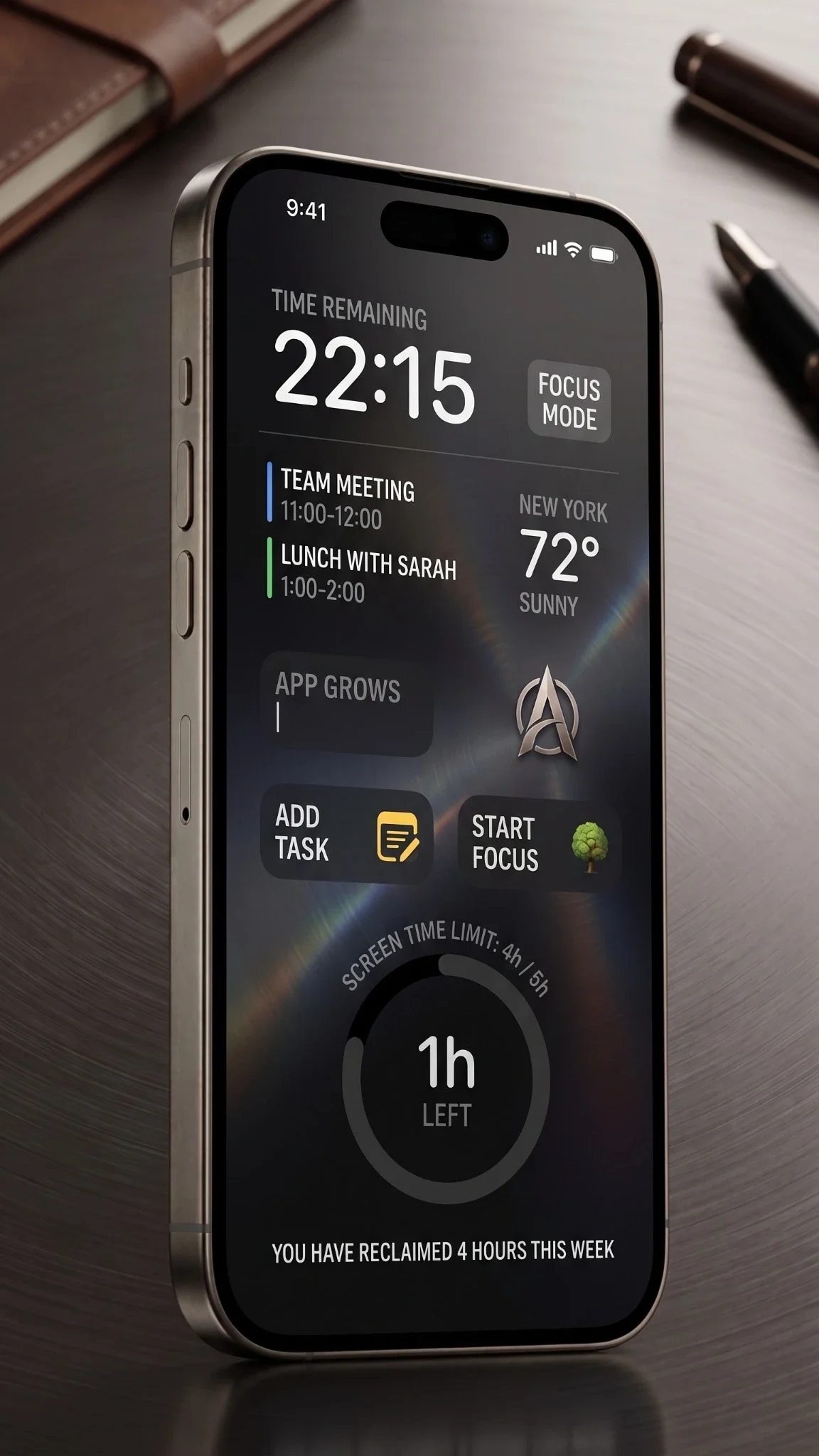
Turn Your Lock Screen Into a Command Center
The goal is simple: Get the information you need without opening the digital casino.
By leveraging widgets, you can glimpse crucial data without ever unlocking your device. Depending on your needs, you can display:
Daily Essentials: Time, weather, and battery status.
Schedule & Tasks: Calendar appointments and focus mode indicators.
Live Updates: Airline boarding passes, sports scores, delivery alerts, and smart home controls.
How to Set It Up
For iPhone Users
Go to Settings > Display & Brightness > Always On Display (toggle it on).
Lock your phone, then wake it up but don't swipe up to unlock.
Press and hold the lock screen, then tap Customize.
Add your widgets.
The Minimalist Setup Recommendation: Keep it lean. I recommend displaying only the Weather, Calendar, Battery percentage, and one mission-critical app for notifications.
For Android Users
Most newer Samsung Galaxy and Google Pixel phones fully support an Always On Display.
Go to Settings > Lock Screen > Always On Display.
Customize your clock style, widgets, and notification visibility.
Pro-Tricks for Digital Sanity
To make this hack truly effective, you need to guard the gates:
Mute the Noise: Turn off social media notifications from the lock screen entirely.
Filter Alerts: Leave only mission-critical notifications visible.
Automate: Use Focus Modes during work hours to automatically shift what your lock screen displays.
The Physical Boundary: Put your phone face down during live meetings and deep-work sessions.
The Psychological ROI
The real benefit here isn't just about saving battery—it's psychological.
Every single time you avoid unlocking your phone, you successfully avoid the algorithmic rabbit hole waiting inside. By keeping the device locked, you get:
More focus on the task at hand.
Higher productivity throughout the day.
Less mental clutter and digital fatigue.
No more "doom-scrolling" disguised as “just checking one thing.”
Technology works best when it stays in the background as a tool—not when it becomes your full-time employer. Turn on your Always On Display today, customize it, and take your time back.
Double-click to edit...